
Bezier editing
Selection and Direct Selection tools for contours, nodes, handles and segments, with node insertion and precise nudging.
The important capabilities of Dhivehi Font Studio, organized by what they do - without the step-by-step manual.
Build clean outlines directly in the studio or integrate vectors from an existing design workflow.
Selection and Direct Selection tools for contours, nodes, handles and segments, with node insertion and precise nudging.
Bezier Pen, freehand Pencil and live-width Power Brush with Round, Broad, Chisel, Brush Pen, Tapered, Marker and custom presets.
Cutout Pen / Stroke plus line, rectangle, ellipse and polygon construction for fast structural drawing.
Eraser, Knife, Scissors, booleans, overlap removal, direction correction, expand stroke, simplify, offset, flip and slant.
Create reusable component instances, move them independently and decompose or edit the component master when needed.
Desktop paste from Illustrator, Paste Special, Paste & Fit to Thaana Body and Copy as SVG.
Drag sidebearings and advance width, measure distance / angle, use H / V / angled guides and inspect on-canvas metric HUDs.
Overlay a reference font or ligature source glyphs while drawing, with filled / outline preview modes and mirror view.
Tracing, spacing and metrics are separate focused environments so outline work and spacing decisions do not get mixed together.
Import PNG, JPEG or WebP underlays with fit, replace, relink and remove controls.
Brightness, contrast, threshold, invert, background removal, deskew and baseline / x-height calibration.
Simplify, smooth, remove specks, fix winding, use symmetry and transfer finished vectors into Drawing.
Advance width and sidebearings with a repeated RTL view of the current character for rhythm decisions.
Italic angle, ascender, descender, UPM and OS/2-related dimensions with dedicated preview modes.
Body top / bottom, overshoots and shared top / bottom anchor guides designed specifically around Thaana.
The kerning system treats logical First → Second pairs as the source of truth while showing their visual RTL placement clearly on screen.
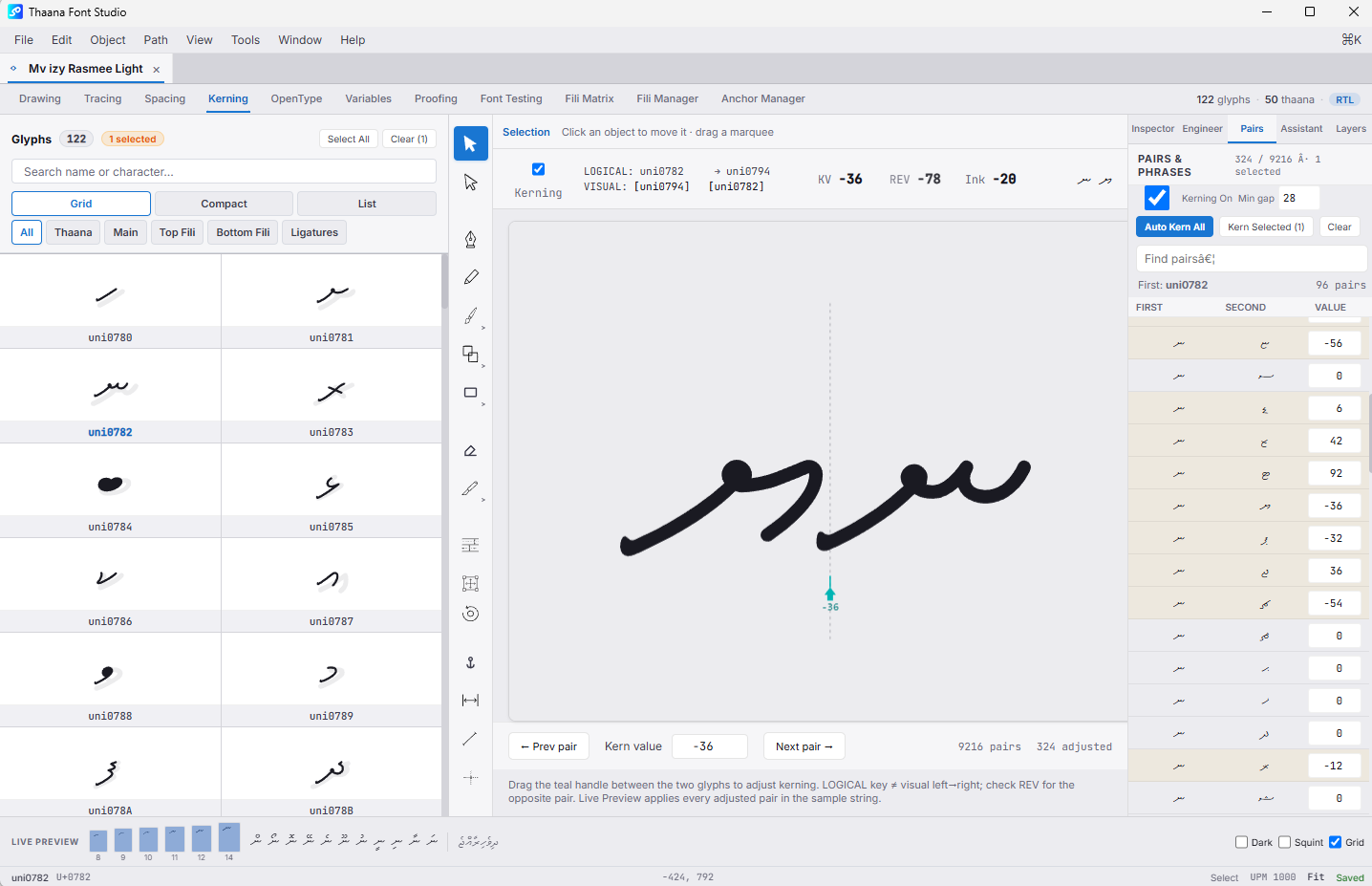
Ligature creation, OpenType source and export behavior are connected to the glyphs and testing environment instead of existing as an isolated technical table.
Editable FEA-style source with Thaana-oriented mark, mkmk, rlig, liga and kern templates.
Create or open ligature glyphs from selected text in Font Testing, with source-glyph reference support.
Support for base-only substitutions that can ignore marks and exact mark-inclusive sequences where the fili sequence matters.
Ligature substitutions can be represented across liga, rlig and ccmp behavior for more dependable Thaana shaping.
Ligature glyphs can participate in the pair system instead of living outside the rest of the font's spacing model.
liga, kern, mark and mkmk toggles make it easier to isolate shaping behavior while the project is still open.
Fili are treated as Thaana combining marks with dedicated filters, diagnostics and alignment tools.
Main letters use top / bottom anchors while fili and sukun use _top / _bottom mark anchors.
Review per-glyph Top X/Y and Bottom X/Y, shared levels, linked values and manual overrides without moving outlines.
A base × fili diagnostic grid flags missing anchors, collisions, spacing problems and incorrect vertical relationships.
Align top or bottom mark-anchor levels across combining marks while keeping main-letter anchors separate.
Base and mark anchors compile to GPOS MarkToBase when the project contains the required attachment data.
Combining marks are classified so base-pair kerning and base ligatures can skip fili where the rule requires it.
Proofing and Font Testing are separate tools: one focuses on visual quality, the other on the live compiled font behavior.
White-on-black, pixel grid, squint, blur, ink spread and 8–14 px small-text inspection.
Compare vector outline, grayscale raster, subpixel-style and black / white pixel views.
Compile the live project in memory and test it without relying on an installed Windows font.
Control direction, alignment, size and leading while testing real sample strings.
Toggle liga, kern, mark and mkmk during testing to understand shaping behavior.
Font Health Check, Dhivehi QA, alignment checks, Engineer panels and the Dhivehi Font Assistant.
Important codepoints are represented as deliberate font-production slots, not generic placeholders.
Dedicated mapped glyph slot with export coverage intended to reduce fallback behavior in compatible document workflows.
A dedicated empty-by-design slot ready for the designer's own artwork and included in built-in proofing samples.
Dedicated currency-symbol glyph support with reference artwork and export mapping for the Maldivian Rufiyaa sign.
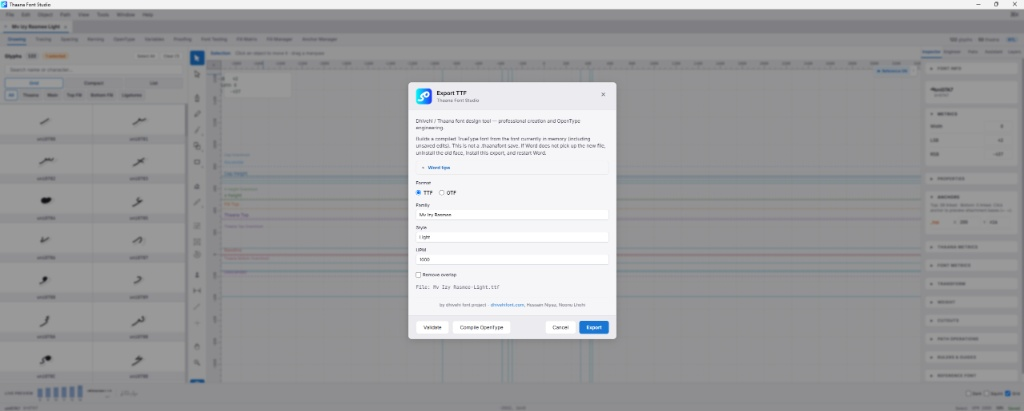
Validate the project, inspect compile information and export standard desktop font formats with layout data when available.
The website distinguishes current production features from engineering previews and future export work.
Masters, interpolation, axis mapping, named instances and variable kerning preview are present; variable TTF / OTF export is not yet shipped.
Desktop TTF and OTF export are current; WOFF2 export is not yet part of the export dialog.
The tracing workspace is manual today; automatic vectorization and batch tracing are not yet shipped.